iPhone to PC. Control it. Record it.
AirMirror Pro brings your iPhone to Windows over AirPlay. Mirror it, control it with your mouse and keyboard, and record it. No capture card, no Mac, no cables.
The free version is yours to keep. Pro is one purchase, no subscription.
New in 3.2.2 Fixes a black picture with some newer iPhones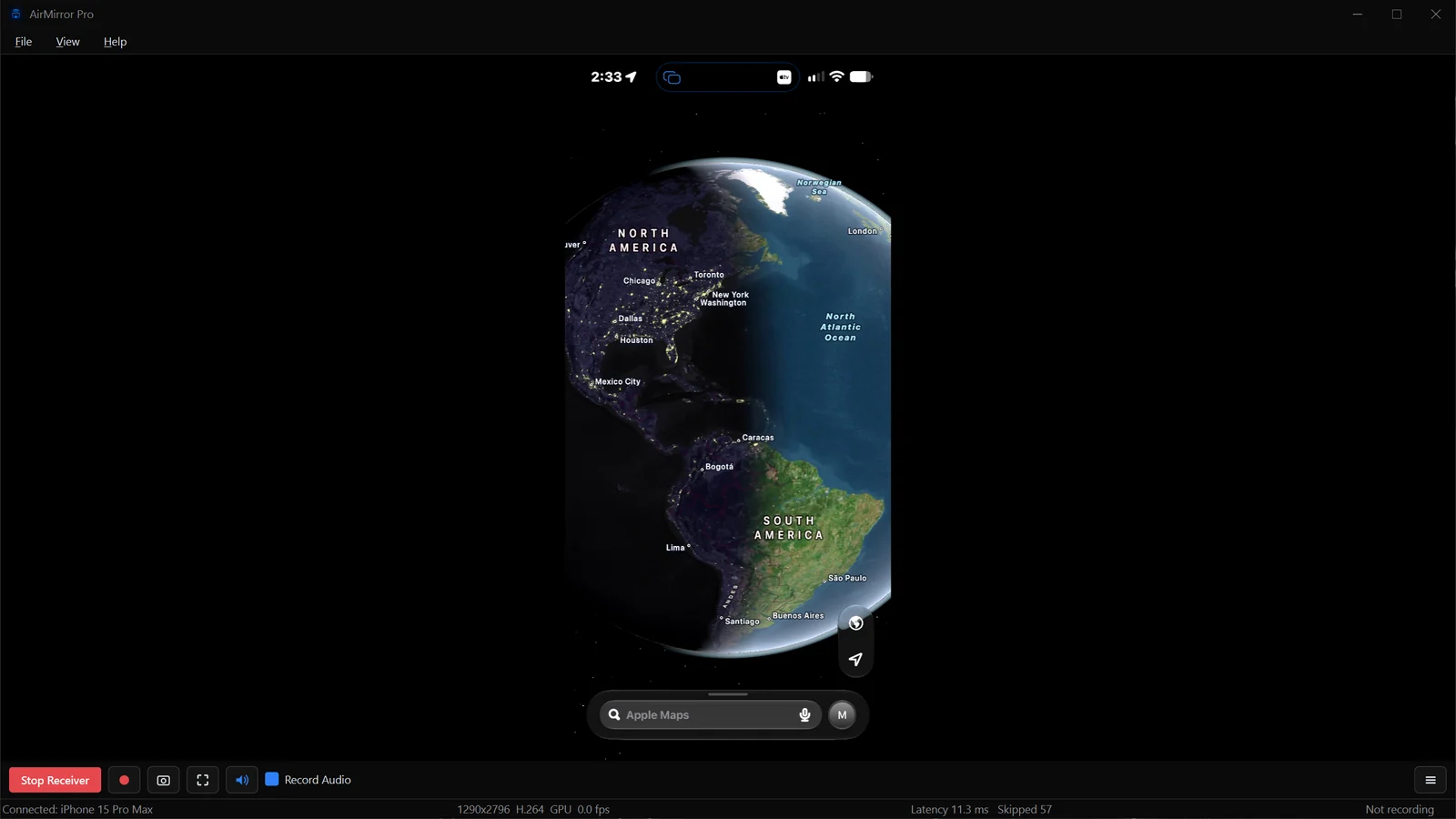
-
Mirror and control
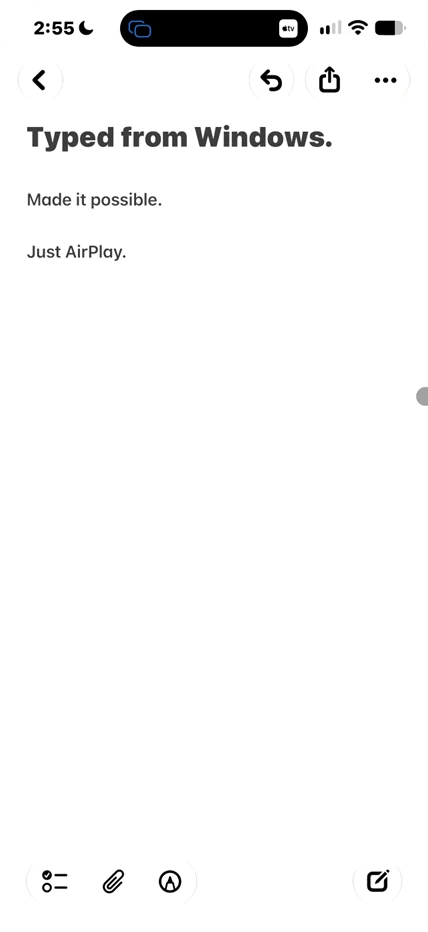
View your iPhone on your PC and drive it with your mouse and keyboard.
-
Record with audio
Record your iPhone's screen with its sound. No time limit with Pro.
-
Ready for OBS
OBS Mode gives window capture a clean picture for streaming, gaming and content creation.
AirMirror Pro 3.2.1
A community-driven update for creators: record with your mic, crop your picture, and capture in OBS without black bars. Install from the Microsoft Store and you are mirroring in minutes.
Watch on YouTube- New in 3.2.1
- Your microphone on its own track (Pro)
- Blurred background instead of black bars (Pro)
- New recording controls with live meters
- Picture crop that remembers
- OBS Mode in a fixed size, like 1920 × 1080
What it does
Mirroring is the easy part. These are the parts that usually cost you a capture card.
-
Record your screen
NVENC hardware encoding captures at up to 100 Mbps, audio included.
-
OBS ready
OBS Mode hides every bit of UI chrome, so OBS window capture gets pure video.
-
TV Mode
Press F11 for full-screen clean output, with the cursor hiding after 3 seconds.
-
Screenshot capture
Ctrl+S saves the current frame at full stream resolution, with no letterbox bars.
Stream straight from your iPhone
AirPlay in, capture in OBS, stream to Twitch or YouTube.
How to set up OBS →Record your mobile gameplay
COD Mobile, DBL or Genshin, recorded at 60fps with audio.
How to record your iPhone →Just watch on a bigger screen
Netflix, Reels or YouTube on your monitor in seconds, no account needed.
Recording, redesigned.
Your picture, your way.
Shaped by your reviews, emails and suggestions: new recording controls, a picture crop that remembers, and fullscreen and OBS Mode without the black bars.
-
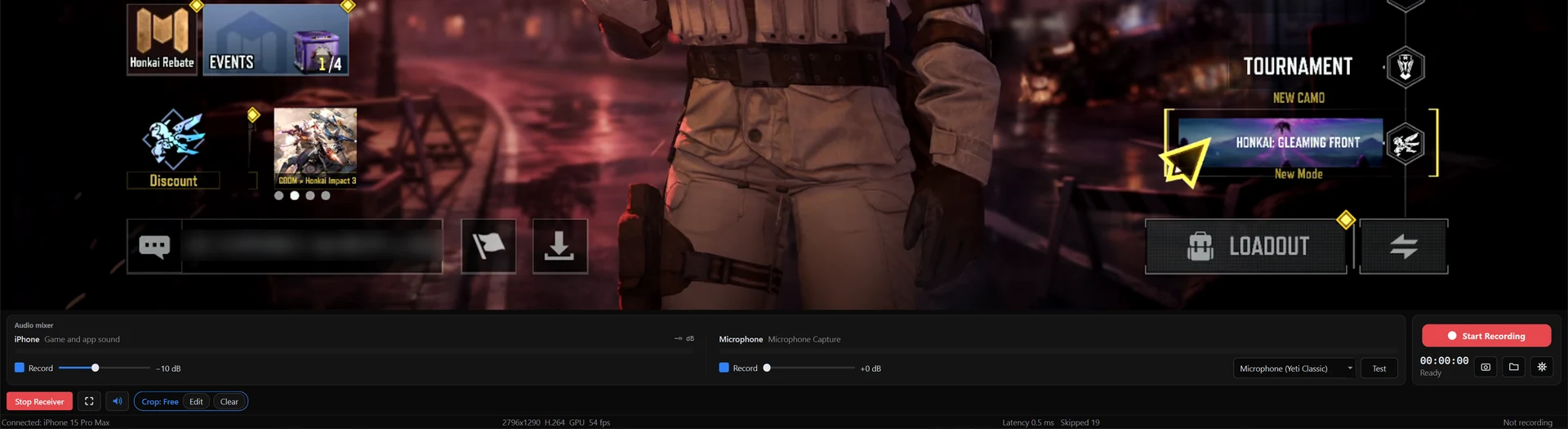
Recording controls
Choose View › Recording for live audio meters, an iPhone volume slider and a bigger Record button. Files go to Videos › AirMirror Recordings, named by date and time.
-
Picture crop
Draw it once in View › Crop Picture. It comes back whenever your iPhone turns sideways, in the window and in fullscreen.
-
No more black bars
Fullscreen trims the bars around videos. OBS Mode can take a fixed size like 1920 x 1080, set in Settings › Windows › OBS Mode size.
-
New for Pro
Your microphone on its own track, a blurred background instead of black bars, and HEVC and AV1 recording where your graphics card supports them.
The mic track, blurred background, HEVC and AV1 are part of Pro. Everything else in 3.2.1 is free, along with stability fixes for Windows 11 and smoother audio on more PCs. Read the full release notes.
Your iPhone's notifications,
now on your PC.
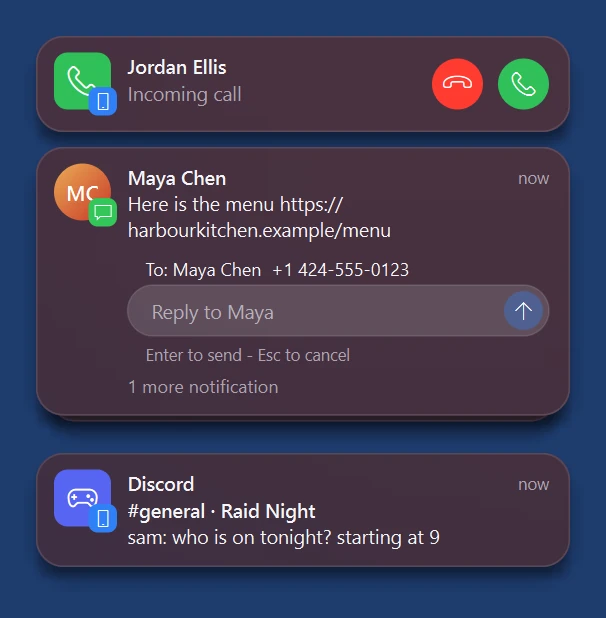
Notifications slide in at the top right as they arrive. Reply to a text right from the notification, without picking up or unlocking your iPhone.
-
Notifications as they arrive
Texts, calls and app alerts appear on your PC while you work or play. No mirroring needed, just leave AirMirror Pro open.
-
Reply to texts
Type your answer in the notification and press Enter. It goes out from your iPhone's Messages.
-
Missed one?
Rest the pointer on the right edge of the screen to see everything since your iPhone connected.
-
Kept out of your recordings
Notifications stay out of screen recordings and screen shares, and wait while NVIDIA Instant Replay records.
Notifications and replies are part of Pro. They use the Bluetooth pairing that iPhone control sets up, and replies work with Messages. Free in 3.2: a Control Center with AirPods battery levels, Command shortcuts, and Arabic and Russian. Read the full release notes.
Sound that stays
with the picture.
AirPlay audio no longer falls behind when a video starts, an ad plays, or you change speed. It stays locked to the picture the entire session.
-
22 languages
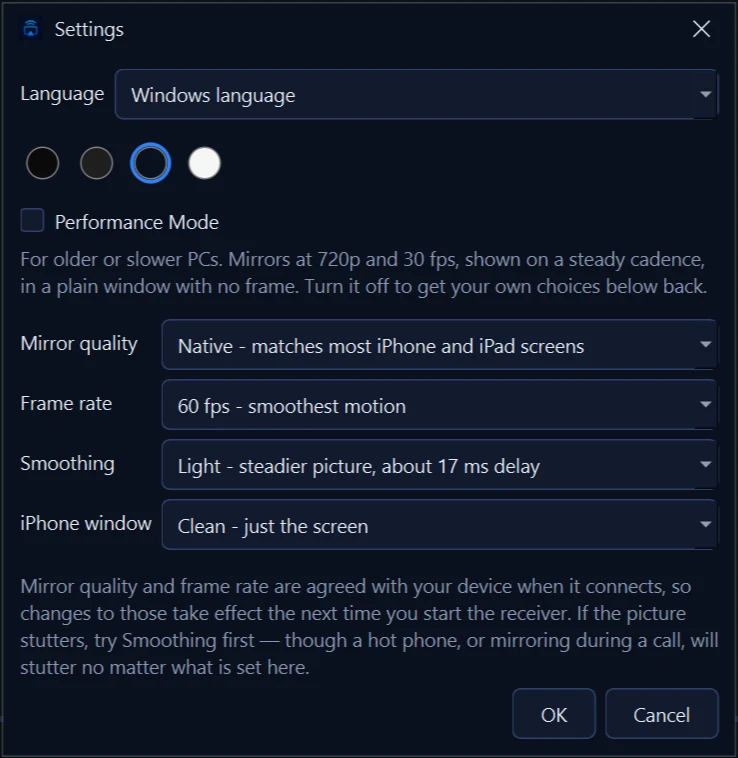
AirMirror Pro follows your Windows language, or pick your own in Settings. It switches on the spot, with no restart.
-
Performance Mode
Older and slower PCs get a stable 720p at 30 fps. One switch in Settings.
-
Choose your look
OLED Black, Classic Grey, Navy or Light. The title bar matches on Windows 10 too.
-
Simpler recording
Pick Low, Medium, High or Best. PCs without a hardware video encoder can now record too, up to 1080p.
Every change in 3.1 is free. The Microsoft Store brings it to you automatically. Also in 3.1: OBS Mode, redesigned menus, a bug report tool under Help, and a fix for PCs with WSL, Hyper-V, VPN or virtual network adapters. Read the full release notes.
Control your iPhone
from your PC.
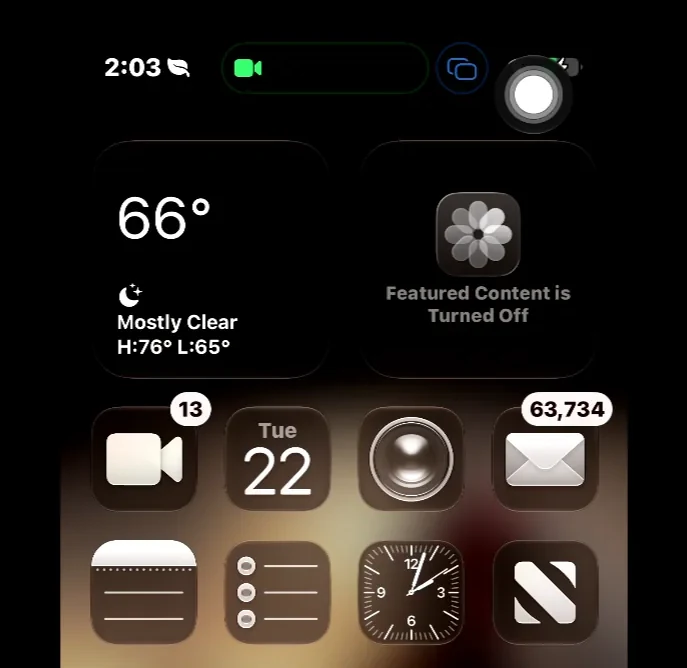
Click the mirror window and your mouse becomes the iPhone's pointer. Type with your PC keyboard. Press Esc and your cursor is yours again.
-
Your mouse drives the phone
Move, click, drag and scroll, the same as on the phone itself.
-
Type with your PC keyboard
In your own keyboard layout, with Command shortcuts like copy and paste.
-
Esc gives it back
Your cursor returns the moment you press Esc or switch to another window. Nothing is captured system-wide.
Free, like mirroring. Needs your iPhone paired with the PC over Bluetooth, and AssistiveTouch turned on. The app walks you through both, once. Step-by-step guide →
Setting it up
No drivers, no configuration, no cables.
Mirrored at the iPhone's native resolution, ready to record or hand straight to OBS.
-
Windows 10 (version 1809) and above. The Store keeps it up to date.
Get AirMirror Pro from the Microsoft Store -
The button sits bottom-left in the app window. Keep the PC and the iPhone on the same Wi-Fi network. If Windows Firewall prompts on first run, allow it on private networks.
-
Swipe down from the top-right corner, tap the two overlapping rectangles, then pick AirMirror Pro. Press F11 once it lands for full-screen TV Mode.
What's new
Ten releases since August, shaped by your reviews and emails. The newest fixes a black picture that a customer reported with a log.
HEVC for newer iPhones
Fixes a black picture with some newer iPhones, such as the iPhone 17. HEVC when your graphics card supports it.
3.2.1Shaped by you
New recording controls, a picture crop that remembers, and fullscreen and OBS Mode without black bars.
3.2Notifications on your PC
See your iPhone's notifications and reply to texts with Pro. AirPods battery for everyone.
3.0Control your iPhone from your PC
Mouse, keyboard, and Esc to give it back. Free, and now on the Microsoft Store.
Pricing
The free version is yours to keep, not a trial. Pro is $5.99 once. No subscription.
Mirror for as long as you like. Recordings stop at 5 minutes and carry a small watermark.
- Mirroring
- iPhone control (mouse + keyboard)
- OBS Mode
- Picture crop
- Performance Mode
- Themes
- AirPods battery in the Control Center
- Command shortcuts (Win/Ctrl → Cmd)
- Recording (5 min limit, watermark)
Removes the time limit and the watermark, and adds your iPhone's notifications and a microphone track. One purchase through the Microsoft Store, no subscription.
- Everything in Free
- No time limit on recordings
- No watermark on recordings
- Your microphone on its own track
- Blurred background instead of black bars
- HEVC and AV1 recording
- Passthrough recording mode
- iPhone notifications on your PC
- Reply to texts from your PC
- All future Pro features
- Clipboard Bridge